Church social media policy template UK: what to include and why
Most churches do not have a social media policy until something goes wrong.
A volunteer posts something that upsets a congregation member. A photo appears on Facebook that a parent did not consent to. Someone leaves a comment that nobody is sure how to handle, so it just sits there. The pastor changes the tone of a caption without telling the person who wrote it, and now there is an awkward conversation about who is in charge of what.
A social media policy does not prevent all of these things, but it prevents most of the confusion that follows them. It makes clear who does what, what kinds of content are appropriate, and what to do when something unexpected happens. Most importantly, it means the volunteer managing the accounts is not making judgement calls in a vacuum.
This guide covers what a church social media policy should include, how to get it agreed, and how to make it work in practice.
Who needs a social media policy
Any church that has a social media presence needs one, regardless of size. A congregation of thirty people with one Facebook page needs a policy just as much as a congregation of three hundred. The policy just needs to be appropriately simple.
The policy also needs to cover more than just the volunteer managing the main accounts. If your pastor posts on their personal Facebook about church matters, that is part of your church's social media presence whether you think of it that way or not. If a youth worker runs an Instagram for the youth group, that needs to be within the scope of your policy too.
What to include
A church social media policy does not need to be long. One or two sides of A4 is enough for most churches. The goal is clarity, not comprehensiveness.
Who manages each account. Name the person responsible for each platform your church uses. Include a backup contact for when that person is unavailable. This sounds obvious, but many churches have accounts that nobody is clearly responsible for, or where the login details live only on one person's phone.
Who has authority to post. Clarify whether only the designated social media volunteer can post, or whether the pastor and other leaders can also post directly. If multiple people have access, note it explicitly. Ambiguity here is where most social media disputes in churches start.
The tone and voice of your church online. A brief description of how your church communicates: warm and welcoming, thoughtful and measured, enthusiastic and informal. Whatever reflects your congregation. This is especially useful if different people post at different times, or if you ever use AI tools to help draft captions.
What kinds of content are appropriate. Service times, events, sermon content, photos from gatherings, Bible verses, community news, reflections on the church year: all of these are straightforward. It is worth being explicit about what requires approval before posting and what the social media volunteer can post at their own discretion.
What requires approval before posting. Anything that might be controversial, anything relating to a sensitive pastoral situation, anything that comments on current events or politics: these should go through the pastor or a named leader before being posted. Having this written down protects the volunteer from being put in a difficult position.
Photography and GDPR. A brief reference to your church's consent policy for photos, particularly for children. This can cross-reference your fuller GDPR documentation rather than reproducing it. See our guide to church photo consent and GDPR for what that documentation should include.
How to handle negative comments. What to do when someone leaves a critical or offensive comment on a post. Who decides whether to respond, remove or escalate it. Having a simple agreed approach means the volunteer is not making that call alone at 10pm on a Sunday.
Who to contact with questions or concerns. A named person, not just a role. The person who manages your Facebook page needs to know who to call if something unexpected happens.
Getting the policy agreed
A policy that exists only as a document the volunteer wrote and nobody else has seen is not really a policy. It needs to be agreed by your leadership team and ideally noted in a meeting where someone can record that it was discussed.
This does not need to be a lengthy process. Bring a draft to your next leadership meeting, walk through the main points, ask whether anything needs adjusting, and note in the minutes that the policy was agreed. That is enough.
Once agreed, make sure the people it covers have actually read it. Email it out. Put a copy in whatever shared folder your church uses. If you have a staff team, go through it briefly together. The test of a policy is not whether it exists but whether the people it applies to know what it says.
Keeping it up to date
A social media policy needs reviewing when things change: when someone new takes over the accounts, when your church joins a new platform, when something happens that the policy did not anticipate.
A review once a year is sensible for most churches. Put it in the calendar now. It does not need to be a major exercise - fifteen minutes to check whether anything needs updating is usually enough.
What a policy does not do
A policy will not prevent every difficult situation. Someone will still post something they should have run past the pastor first. A comment will still appear that does not fit neatly into any category. A photo will still appear that someone wishes had not been posted.
What a policy does is give you a clear reference point when those things happen. Instead of a difficult conversation about whose fault it was, you have a shared document that everyone agreed to. The conversation becomes about what to do next rather than who is to blame.
That is worth an afternoon's work to put together.
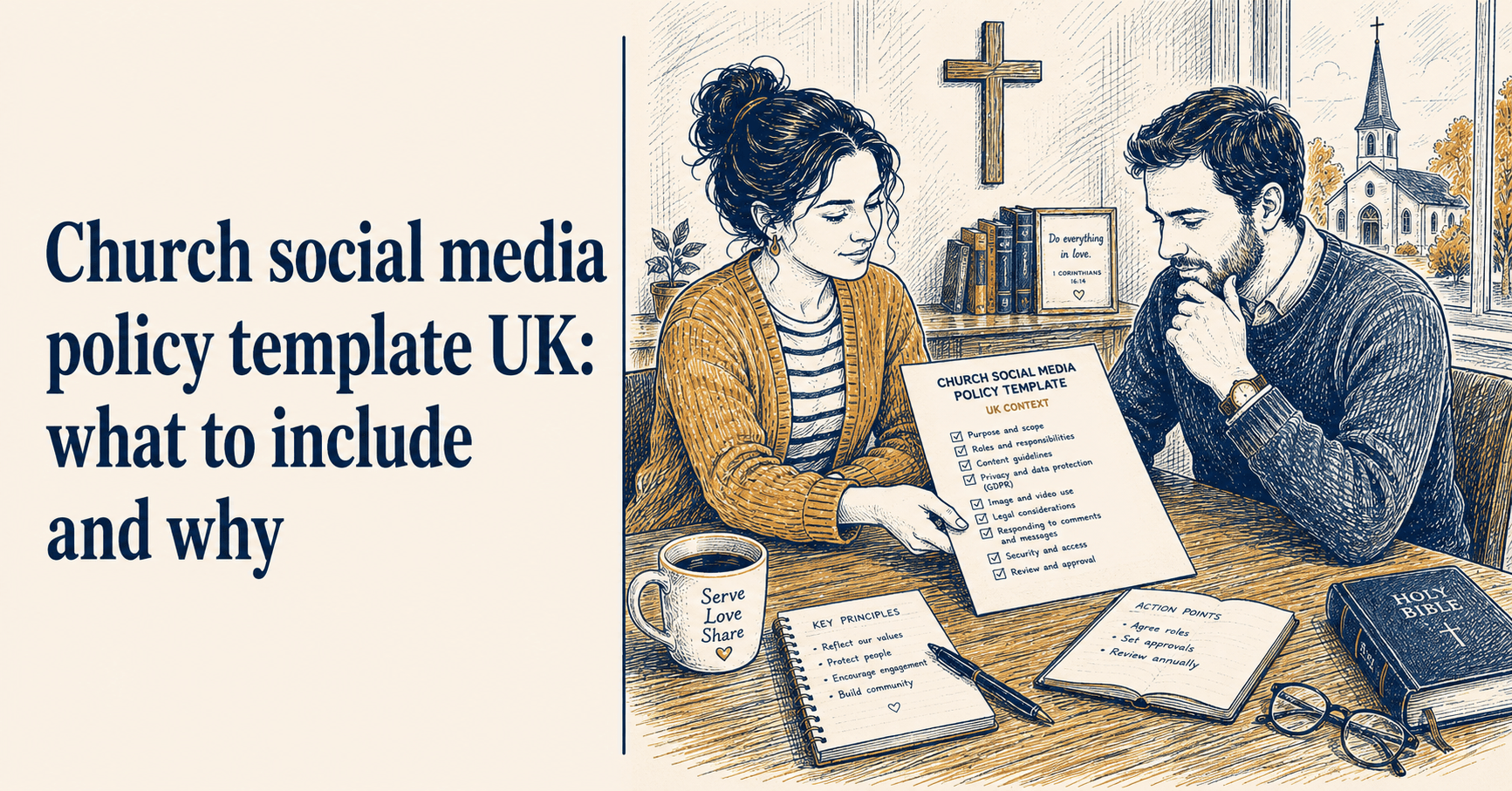
A simple structure to start from
If your church does not have a policy and you are not sure where to start, here is a structure that covers the essentials:
[Church name] Social Media Policy
Last reviewed: [date]
Accounts and access List of platforms, account names, and who manages each one. Login details stored securely at [location].
Who can post [Name/role] manages day-to-day posting. The pastor may post directly. All others should request posts via [contact].
Our voice online [Two or three sentences describing how your church communicates.]
Content guidelines Appropriate content includes [list]. The following requires approval before posting: [list].
Photography and consent We follow our church photography consent policy. Children are not photographed or tagged without written parental consent. See [reference document].
Responding to comments Positive comments: acknowledge where appropriate. Critical comments: respond calmly and briefly, or escalate to [name]. Abusive or harmful content: remove immediately and inform [name].
Questions and concerns Contact [name] at [email/phone].
That structure will take most churches less than an hour to fill in. Once it is agreed and shared, you will wonder why you waited this long.
ChurchReach includes a setting for your church's voice and tone, which feeds directly into the AI caption writer. If your policy describes how your church communicates online, ChurchReach can use that to make sure every suggested caption sounds like you. Start a free trial at churchreach.co.uk.